You haven't signed in yet, you can have a better experience after signing in
*Please complete the payment within {{receiveCouponInfo.expire_at}}Previous use*
You haven't signed in yet, you can have a better experience after signing in
 Windows 3- Mac Window Management Split Screen Tool Software




Activity Rules
1、Activity time:{{ info.groupon.start_at }} ~ {{ info.groupon.end_at }}。
1、Activity time:cease when sold out。
2、Validity period of the Group Buying:{{ info.groupon.expire_days * 24 }} hours。
3、Number of Group Buying:{{ info.groupon.need_count }}x。
Please Pay Attention
1、Teamwork process: Join/initiate a Group Buying and make a successful payment - Within the validity period, the number of team members meets the activity requirements - Group Buying succeeded!
2、If the number of participants cannot be met within the valid period, the group will fail, and the paid amount will be refunded in the original way.
3、The number of people required and the time of the event may vary among different products. Please pay attention to the rules of the event.
Bring system level split screen functionality to Mac
Quick split screen
Simply drag the window to the edge of the screen to perform split screen operations.
Silky animation
Wins provides split screen preview animation and triggered split screen animation effects, and we believe that animation is the soul of software.
Suspended split screen
Drag any window to see the floating split screen, and drag onto the floating split screen to quickly split the window.
Dark Mode
"Keep up with the trend" is consistent with your Mac experience.
Shake windows, hide other windows
Shake the window from left to right and automatically hide other windows.
System level integration
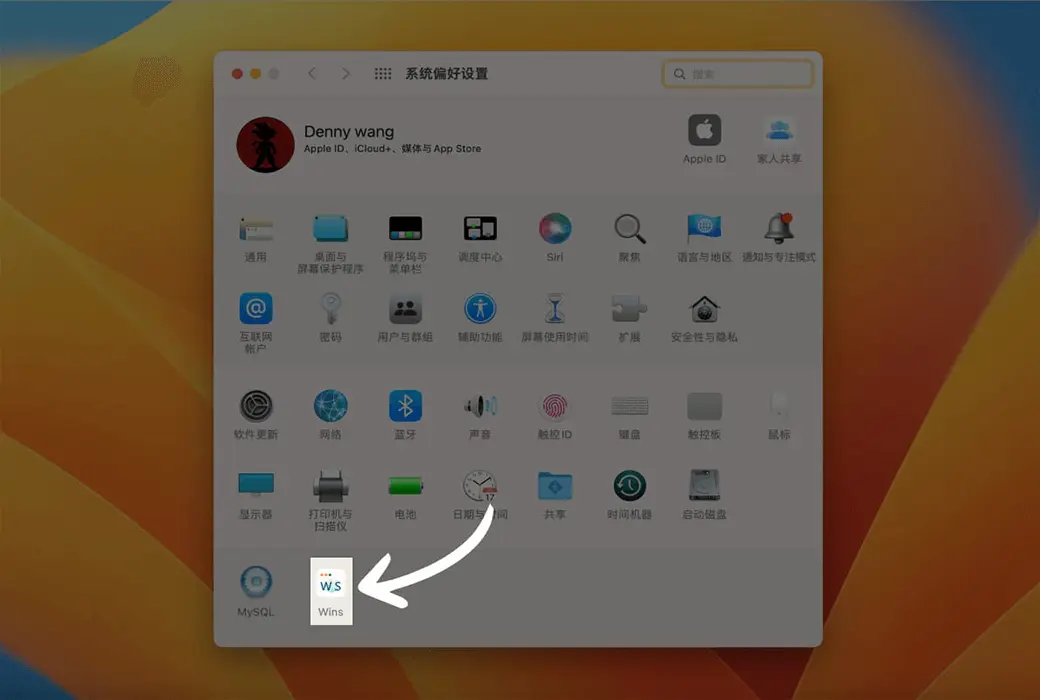
Wins does not have a separate window, does not occupy the Menu Bar, does not occupy the Dock bar, and the settings panel is integrated into the system preferences, providing a more pure user experience.
Excellent performance
We are very concerned about power consumption, with memory usage below 30M, CPU usage below 10%, and in most cases only 0.1%.
Hide all windows
One click hide all windows, which is the fastest way to hide all windows on Mac.
Maximize mode switching
Quickly switch between window maximization, full screen window, and original window position.
Support shortcut keys
Use custom shortcut keys to arrange windows in the position you want.
Center the window and still be able to return to its original position
Quickly center a window and return it to its original position after use.
Official website:https://wins.cool/
Download Center:https://wins.apsgo.cn
Backup Download:N/A
Delivery time:24-hour automatic shipping
Operating Platform:macOS
Interface language:Supports Chinese interface display and multiple language options.
Update Description:Support one-year free updates.
Trial before purchase:Free trial is available before purchase.
How to receive goods:After purchase, the activation information will be sent to the email address at the time of placing the order, and the corresponding product activation code can be viewed in the personal center, My Orders.
Number of devices:Can install one computer.
Replace computer:Uninstall the original computer and activate the new computer.
Activation guidance:System Preferences -->Windows -->; About
Special note:To be added.
reference material:https://wins.cool/html/index_zh.html

Any question

💥 Windows 3 is released, introducing the CMD Tab Plus feature
🎬 CMD Tab Plus Function Demonstration
https://wins.cool/html/changelog_zh.html
The updated content is as follows:
Source:https://wins.cool